
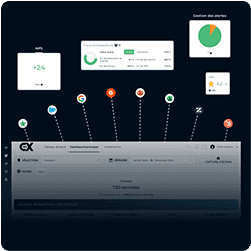
Data Visualization and Exports
Import files to integrate and transform data, making them easier to use and ensuring compliance with your specific requirements.

Single-Stream or Multi-Stream Dashboard
Create customized dashboards to visualize and analyze data coming from a single data stream or multiple streams simultaneously.

Widgets Adapted to Each Need
Indicator Visualization Widgets: Display your key data in various chart formats (donut, bar, pie) for quick interpretation.
Question Ranking Widget (Top/Flop): Easily identify the best and worst performances for your key indicators.
Verbatim Widget: Visualize and analyze qualitative feedback messages for a deeper understanding of opinions.
Pinned Items Widget: Highlight specific items for focused monitoring.

Consolidated and Detailed Scores
Consolidated Scores: Aggregate overall results in an interactive table, easily exportable in CSV format for sharing and deeper analysis.
Detailed Scores: Provide specific reports by visit, survey, or customer review for a granular view of performance.

Advanced Analysis and Reporting Capabilities
Multi-Criteria Sorting Functions: Filter and organize data according to multiple criteria for accurate and personalized analysis.
Detailed Single-Entry View of Questionnaires (Visits / Audits / Surveys): Access complete and detailed views for each form or evaluation.
Single-Entry View of Online Reviews: Examine customer feedback one by one for a deeper understanding.
Semantic Analysis of Verbatim with AI: Automatically identify key topics, sentiment trends, and drivers influencing positive or negative feedback.

Notification Management

Types of Notifications
Notifications for data publication; email alerts (subscription to one or multiple streams).

Notification Frequency
Customize alert timing by choosing an appropriate frequency (instant, daily, or weekly) to stay informed according to your needs.

Notification Customization
Configure preferred alert types and delivery channels for an experience adapted to your requirements.
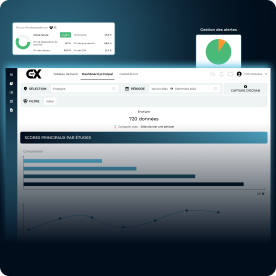
Trend and Evolution Graphs

Tracking Indicators Over a Given Period
Monitor performance trends by analyzing data over a specific time frame to identify patterns and measure progress.
Comparative Indicator Analysis
Evaluate performance by comparing data between different time periods or scopes to better understand discrepancies and identify improvement opportunities.

Creating Graphs
Generate visual representations to track the evolution of an indicator or compare results across different periods, making analysis and decision-making easier.

Customization of Graphs
Adjust colors and apply specific filters to each chart for clear visualization aligned with your brand guidelines or analytical needs.